Find Missing Sections After Move to Difference Notebookm in Windows OneNote
Moving or renaming a section in the Windows OneNote may result in the loss of the section. This has been a stubborn disease for many years.
Now, OneNote Batch Cloud, a batch processor for Windows, provides a feature to find these types of missing sections.
It maybe finds these missing sections.
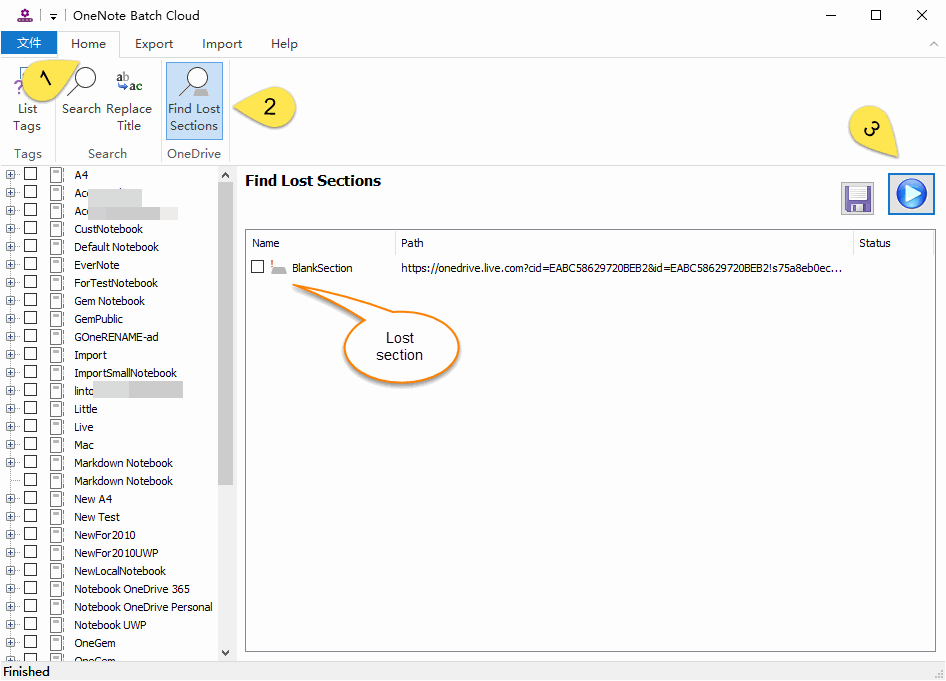
OneNote Batch Cloud will start search the missing sections and list them.
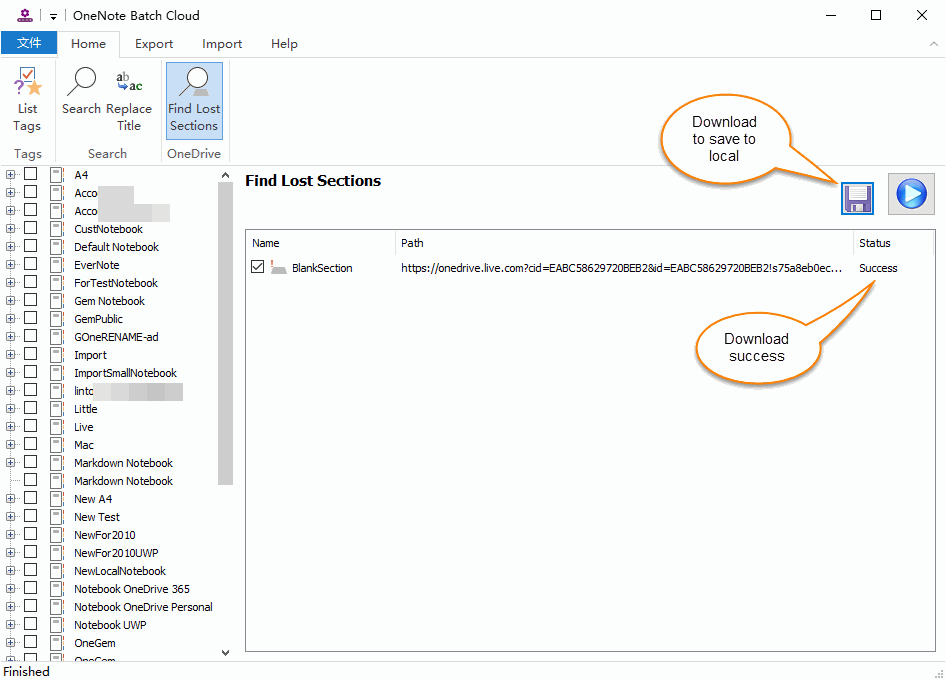
Then, click “Save” button, and choose the local folder, OneNote Batch Close will download the checked section files.
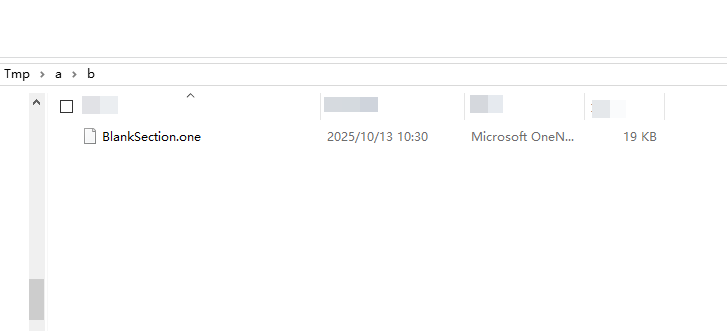
You can use Windows Office OneNote to open .one files so that you can restore the sections.
Now, OneNote Batch Cloud, a batch processor for Windows, provides a feature to find these types of missing sections.
It maybe finds these missing sections.
Find Lost Sections
In OneNote Batch Cloud, follow steps:- Click “Home” steps
- Click “Find Lost Sections” feature
- Then, click "Start“ button.
OneNote Batch Cloud will start search the missing sections and list them.
Download and Save Section Files
If it finds the missing sections, you can tick the boxes to choose which ones to download.Then, click “Save” button, and choose the local folder, OneNote Batch Close will download the checked section files.
View Downloaded Section Files
After downloading, we can view the downloaded .one section file through Windows File Explorer.You can use Windows Office OneNote to open .one files so that you can restore the sections.