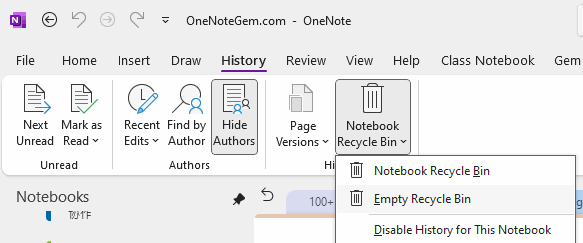
OneNote: something went wrong during sync. We’ll try again later. (Error code: 0xE000002E)
Question
I use OneNote for Desktop with 2 computers. I made changes within one of my notebooks on computer ("PC1"), but never saw the notes on the other computer ("PC2")PC1 shows the following error message within the Shared Notebook Synchronization screen for a notebook:
[Section Name] OneNote can't sync your notes right now. We'll keep trying (Error code: 0xE000002E bjief)
It's been trying for 3 days now.
Other details that might be helpful in resolving this:
- This is part of an Office 365 installation with monthly subscription
- This notebook and all notebooks are saved to a SharePoint location with URL of [businessname]-my.sharepoint.com/personal/[username]/Documents/Notebooks/
- Directly accessing the notebook via the above URL does not show the changes on PC1
- Changes on PC2 to notes within the notebook and section name called out in the error show up on PC1, but not vice-versa
What should I do to get my notes to sync and to make sure the error doesn't happen again?
Answer
Move all the pages from the non-syncing section into another section. then deleted the non-syncing section on PC1 and PC2.Now on PC1 the 0xE000002E bjief error only shows for OneNote_RecycleBin/[Section Name].
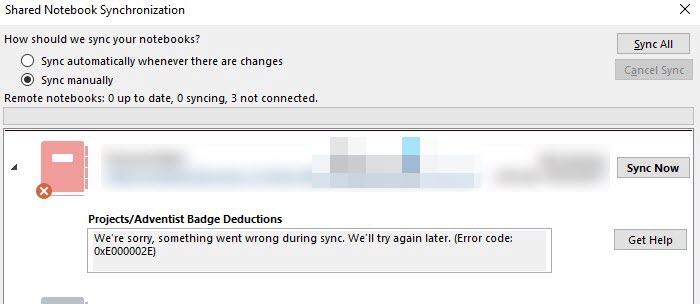
Finally, empty the recycle bin: History -> History -> Notebook Recycle Bin -> Empty Recycle Bin