
How to Backup Multiple Sections without Mac OneNote installed?
2026-01-11 12:57
OneNote Batch for Mac provides a backup feature that allows you to back up your notebooks and sections without installing OneNote in masOS system.
OneNote Batch for Mac starts backing up notebooks and sections to local one by one.
OneNote Batch for Mac provides a backup feature that allows you to back up your notebooks and sections without installing OneNote in masOS system.
When downloading ... You can see that OneNote Batch is receiving data through the Activity Monitor provided by the macOS system (located in the folder /Applications/Utilities/).
Backup the Specified Notebooks and Sections
In OneNote Batch for Mac:- Click “Export” tab
- Click “Backup” feature
- In the notebook structure tree on the left, check the notebooks and sections that you want to export. You can choose more.
- In “Export Path”, specify the local folder where you want to stored.
- Finally press the "Start" button on the right.
OneNote Batch for Mac starts backing up notebooks and sections to local one by one.
OneNote Batch for Mac provides a backup feature that allows you to back up your notebooks and sections without installing OneNote in masOS system.

When downloading ... You can see that OneNote Batch is receiving data through the Activity Monitor provided by the macOS system (located in the folder /Applications/Utilities/).
Review the Local Backup .one Files
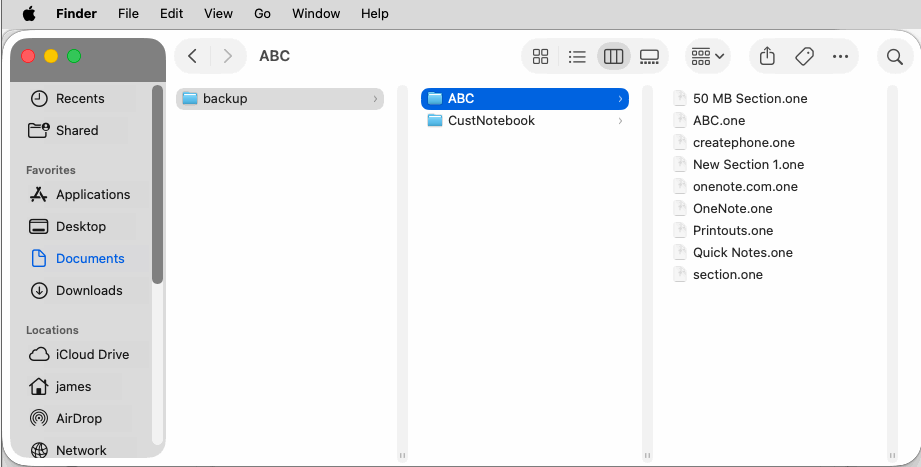
In Finder app, navigate to the storage folder. Here you can see the corresponding notebooks, section groups, section .one files.- A notebook is a folder
- A section group is a folder
- A Section is a .one file

