
How to fix the OneNote notebook pane fills the entire window and flickering when Collapse Sidebar?
2026-03-24 12:59
Question:
When I open OneNote, the notebook tree pane extends across the entire width of the OneNote window.
There is no way to adjust or shrink this pane, making it impossible to see the page list and main content.
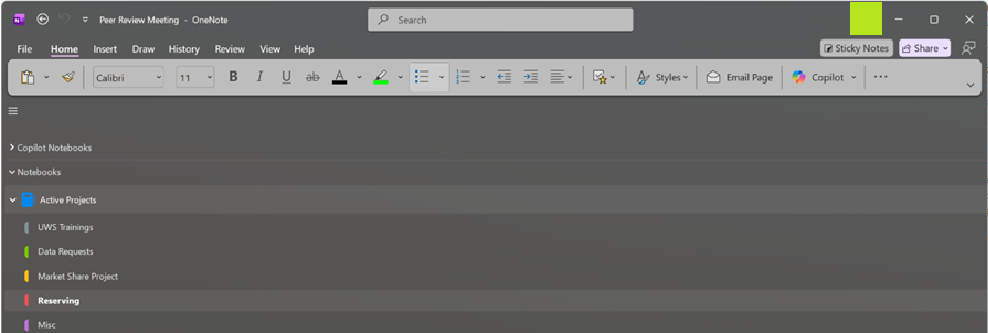
If I click 'Collapse Sidebar' (the icon with three bars), the notebook section tree disappears, causing the note text to flicker rapidly.
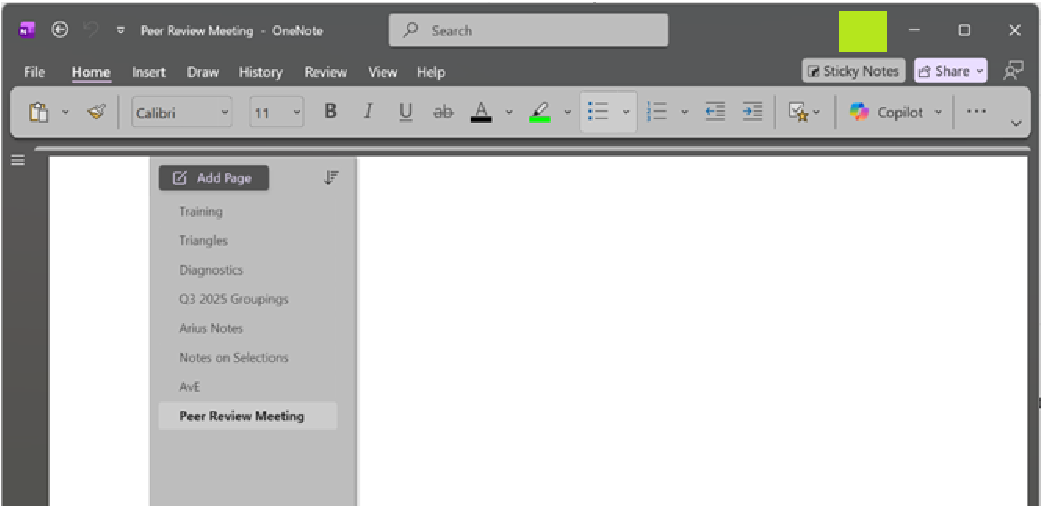
I can resolve this issue by opening Task Manager and forcibly restarting OneNote.
However, this error reappears after the computer goes into sleep mode or is turned off.
| EXE Addins | Cloud Addins | MAC Addins |
Related Documents
- How to Hide All Panes include Notebook Pane and Page List Pane in Windows Office OneNote?
- Office OneNote v2508 (Build 19121.20000) will fix clicking on the Windows folder link fails to open
- Windows OneNote Free Edition Download
- MS 365 Apps Include OneNote Crashing on Windows Server 2016 after updating to v2412
- What is the relationship between OneNote client and OneDrive client on Windows PC?

