
How to Make Page Date Shown in Different Country Date Formats When Create a New Page on Web OneNote (Online)?
2021-06-14 08:39
Question:
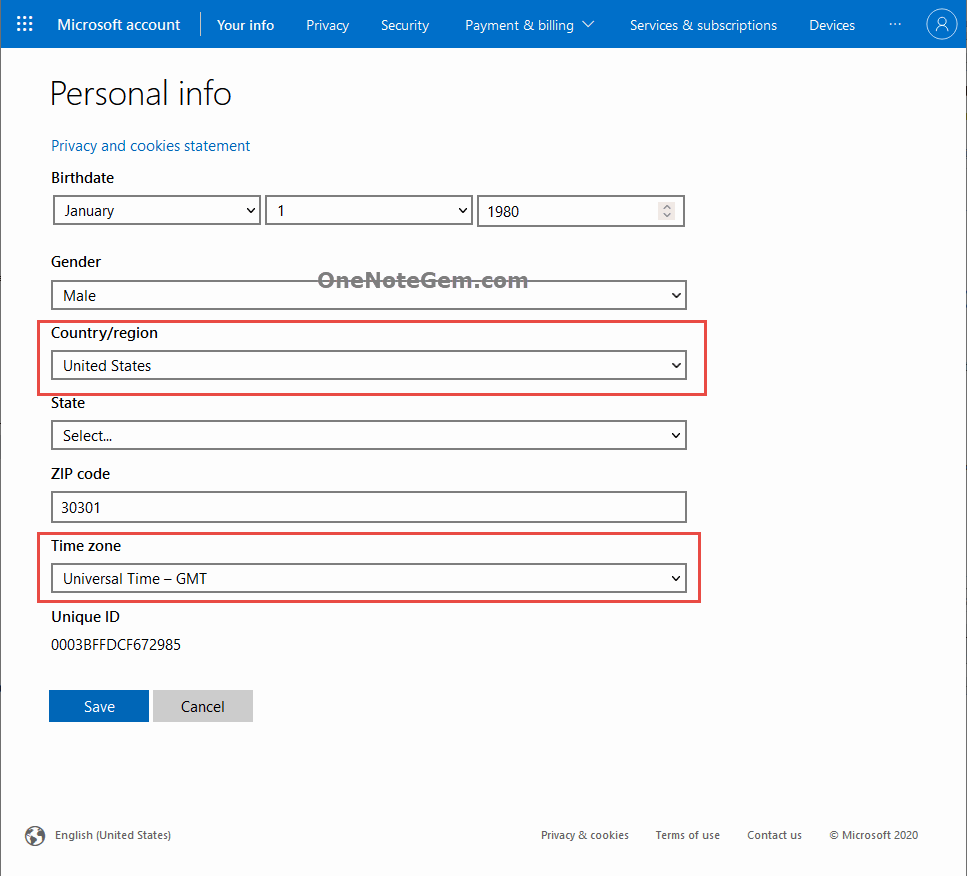
How to change the page date & time format on Web OneNote?Answer:
Login Microsoft account on web, modify the Country/region.Then, return back OneNote Online, when you create a new page, the page date shows the date format for the corresponding country.
Related Documents
- 2026.6.5 Web OneNote Keeps Refreshing
- How to Enter Web OneNote dark mode UI?
- Why does a new section create in Web OneNote disappear when reopen the notebook the next day?
- Why doesn't the "Math Assistant" appear in the Draw tab when login to Web OneNote with Microsoft school account?
- Why does the EmailToOneNote web page get a 404 error?

