Search
OneNoteGem
  • Home
  • Addins
    • Windows Office Addins >
      • Gem for OneNote
      • OneNote Search Bar
      • OneNote Gem - Favorites
      • OneNote Batch
      • Pons for MindManager and OneNote
      • Mind Map for OneNote
      • Pons for Visio and OneNote
      • Row to OneNote
      • Auto OneNote
      • Favorite to OneNote
      • Bridge for EndNote and OneNote
      • Anchor to OneNote
      • Anchor to OneNote for PDF
      • Bring to OneNote
      • Gem Table for OneNote
    • Windows Cloud Addins >
      • CiteBoard for OneNote
      • OneReader
      • OneMind for Web OneNote
      • OneNote Reminder Cloud
      • OneNote Batch Cloud
    • Mac Addins >
      • Gem Menu for Mac OneNote
      • CiteBoard for OneNote
      • Bring to Mac OneNote
      • OneMind for Mac OneNote
      • OneNote Reminder for Mac
      • OneNote Batch for Mac
      • Fix One for Mac - Fix OneNote Login, Sync Tools
    • Android Addins >
      • CiteBoard for OneNote
      • Fix One for Android - Fix OneNote Login, Sync Tools
    • Cross-Platform Addins >
      • OneNote Reminder
      • OneMind for OneNote
      • CiteBoard for OneNote
      • Fix One - Fix OneNote Login, Sync Tools
    • Markdown Addins >
      • Gem for OneNote
      • One Markdown
    • Mind Map Addins >
      • OneNote Gem - Favorites
      • Pons for MindManager and OneNote
      • Mind Map for OneNote
      • Pons for Visio and OneNote
      • OneMind for OneNote
    • Other Addins >
      • Gem Menu for OneNote UWP
      • One Markdown
      • Clip to OneNote
      • WordNote
      • OneShare
      • Fix One for Windows - Fix OneNote Login, Sync Tools
      • OneNote for Windows 10 Reviver - UWP Reviver
  • Buy
  • Documents
  • FAQs
  • Templates
  • Support
  • Release
  • WordNote
Mind Map for OneNote
 
 
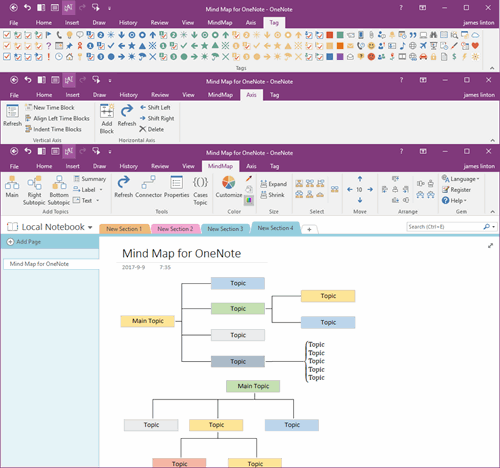
Using OneNote native elements to create Mind Map

How to Export a Page in Android OneNote as a PDF File and Send It via Email?

2026-11-04 05:32
 
Many people want to export note pages from OneNote as PDF files for easy sharing, printing, or archiving.
 
This tutorial will show you how to export a page on an Android phone and send it to an email.


Specific steps are as follows:

 
1. Open OneNote for Android and go to the page you want to export. Tap the  [┇]menu icon in the top right corner.
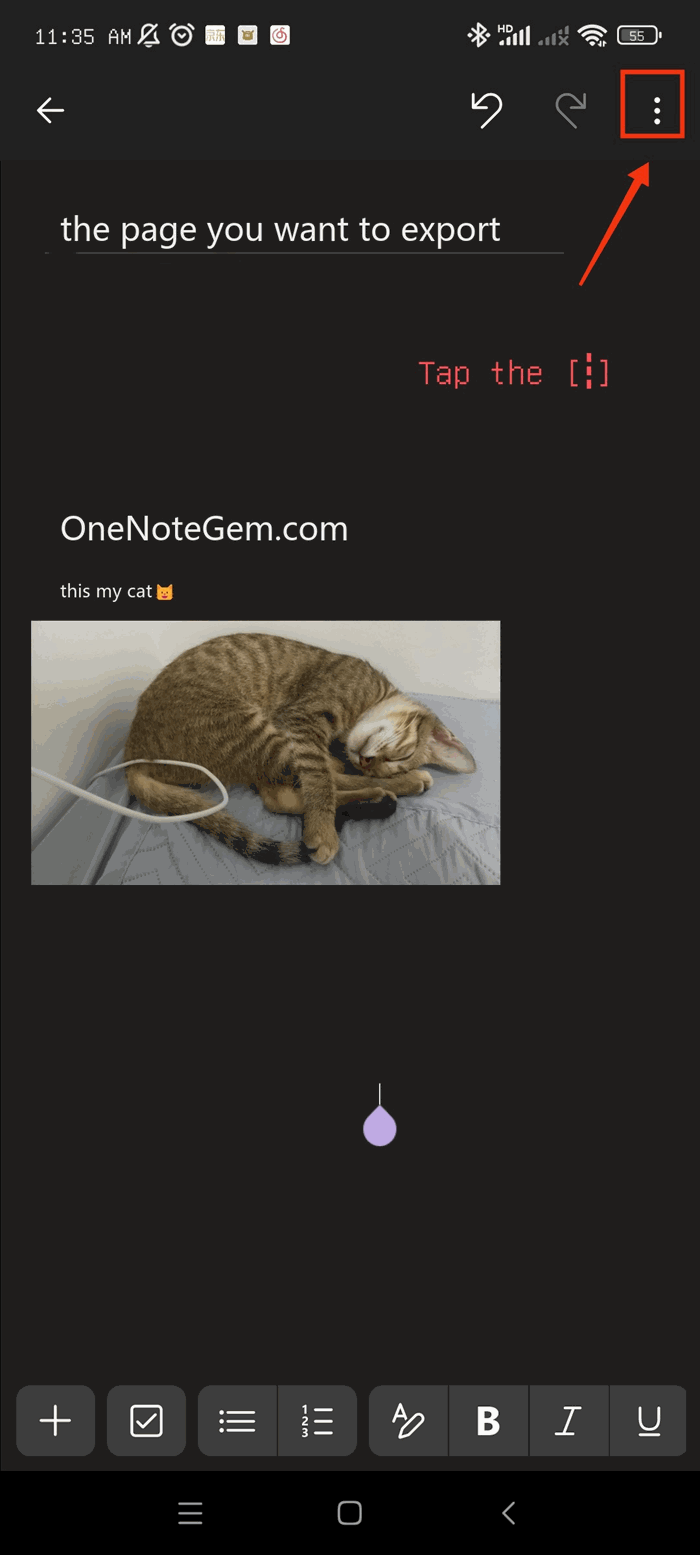
 
┇ menu icon in the top right corner.


2. In the pop-up menu, select [Send].
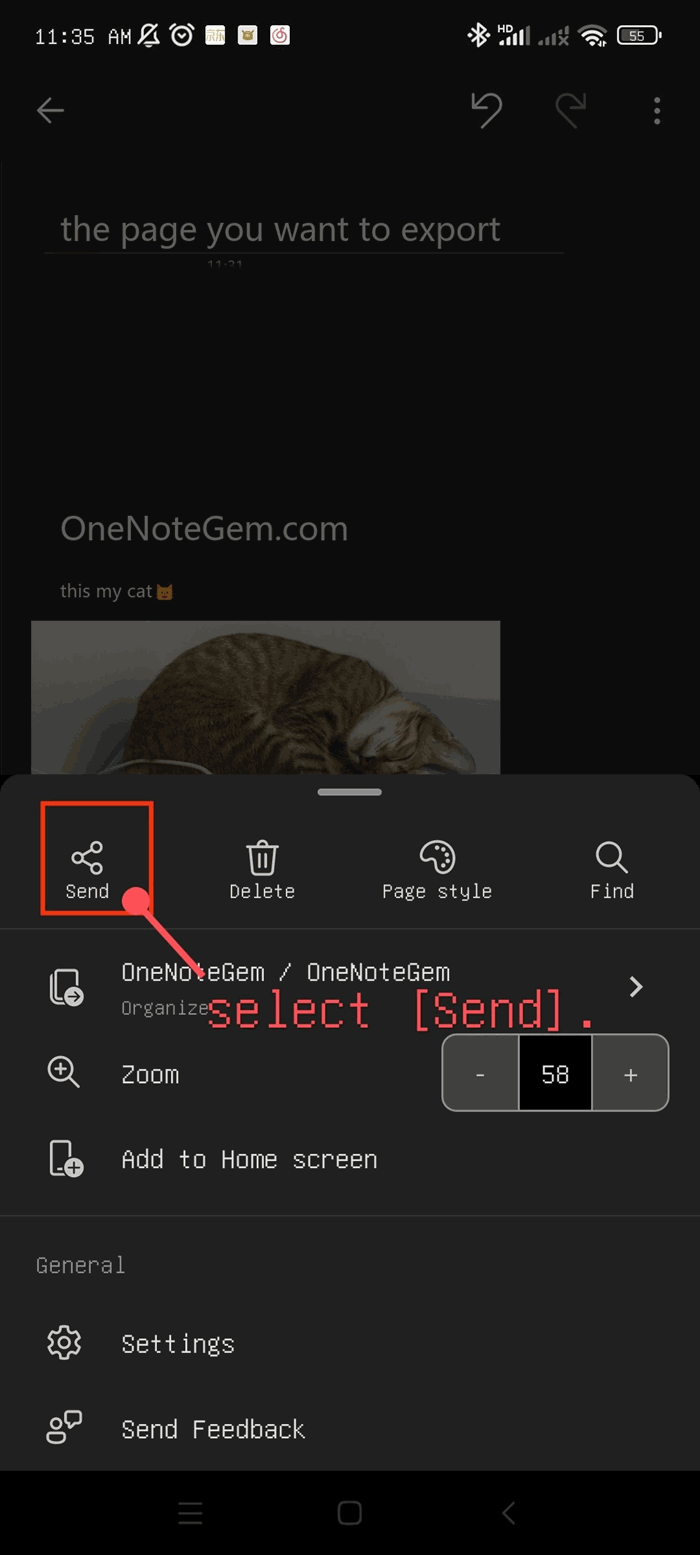
Send item in android OneNote


3. In the [Send as] options, tap [PDF].
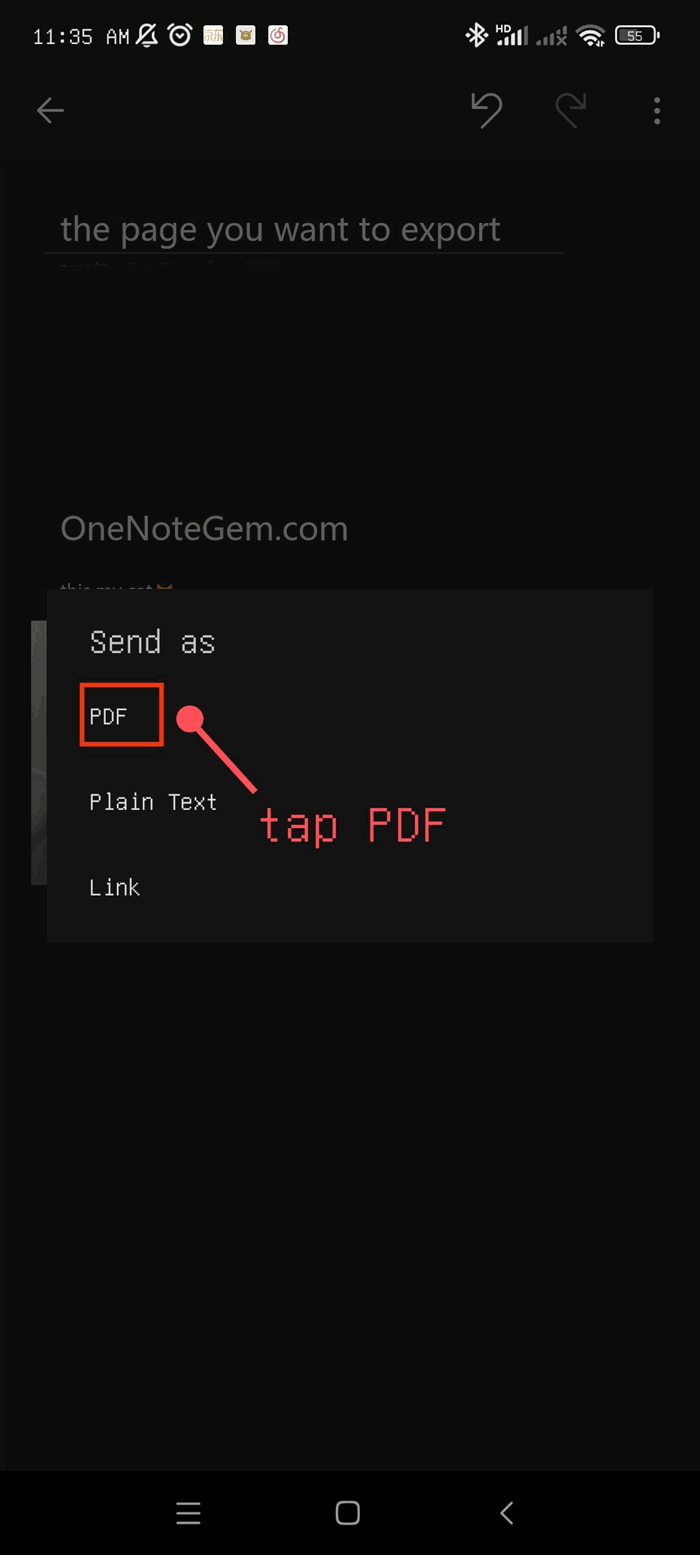
Send as PDF


4. At this point, the page has become a PDF. Then tap [Email].
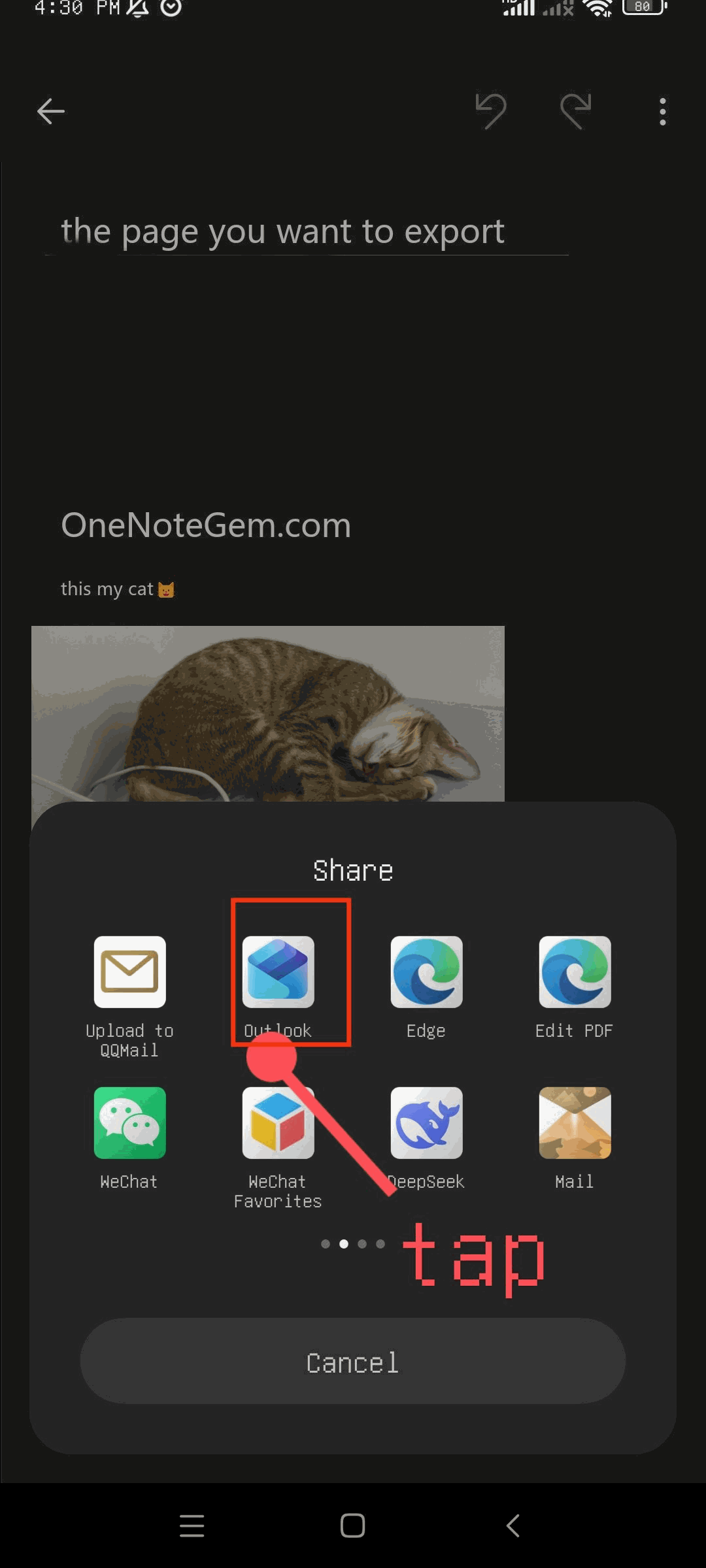
Share to Outlook


5. It will open your email app and then send it. The image below shows the result after sending.
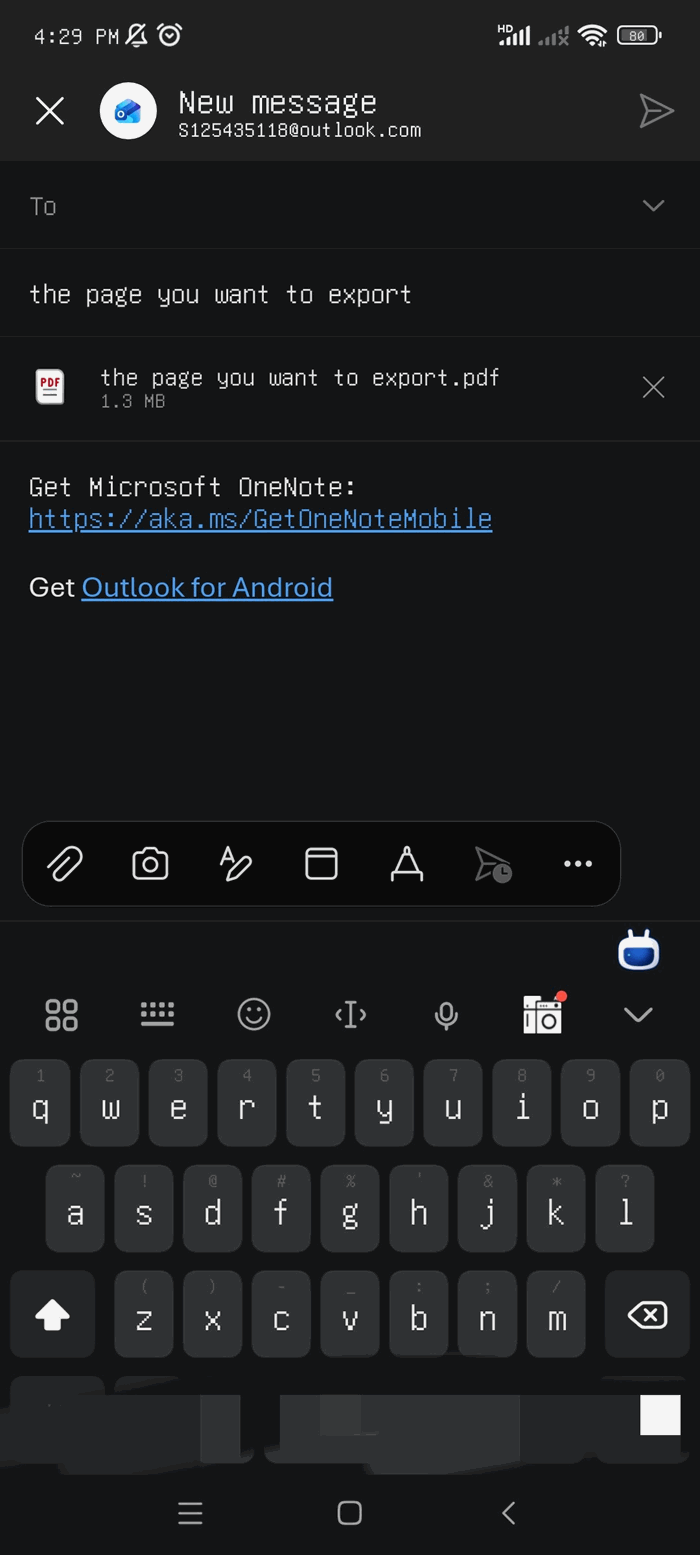
 
Outlook new message


Related Documents

  • How to Save an Image from Browser to Android OneNote?
  • How to Sort Pages in Android OneNote?
  • How to Sort the List of Recent Pages on the Android OneNote Home Screen?
  • How to Enable the Android OneNote Floatie to Take Note while Using Other App?
  • Use Android OneNote Floatie to Quickly Take Photo or Scan into Sticky Notes
Command Line
Tag System
MindMap Add-Ins Comparison
Search Add-Ins Comparison
One Markdown Syntax
Table Formula
Gantt

Gem Menu Templates
Repair OneNote
OneNote Download
English website Chinese website
Mobile Site
Copyright © 2011-2026 Digital GemSoft. OneNoteGem.com All Rights Reserved.